A coworking office for your AI agents.
Claude Code, Codex and Antigravity, each at a desk. You talk to the Boss. The PA decides who does what, the team builds it, and risky work gets a second pair of eyes from another provider. All on the subscriptions you already pay for.
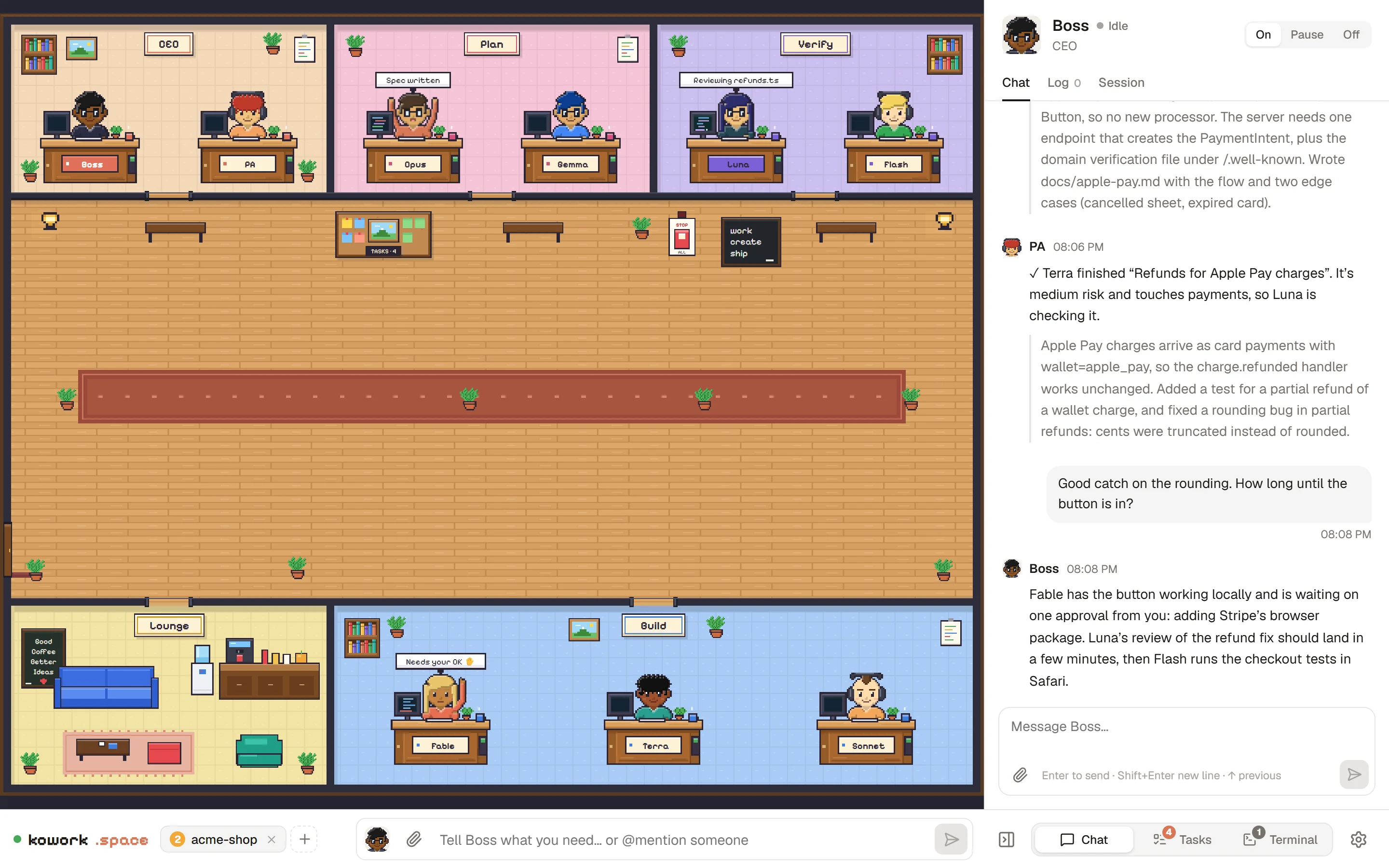
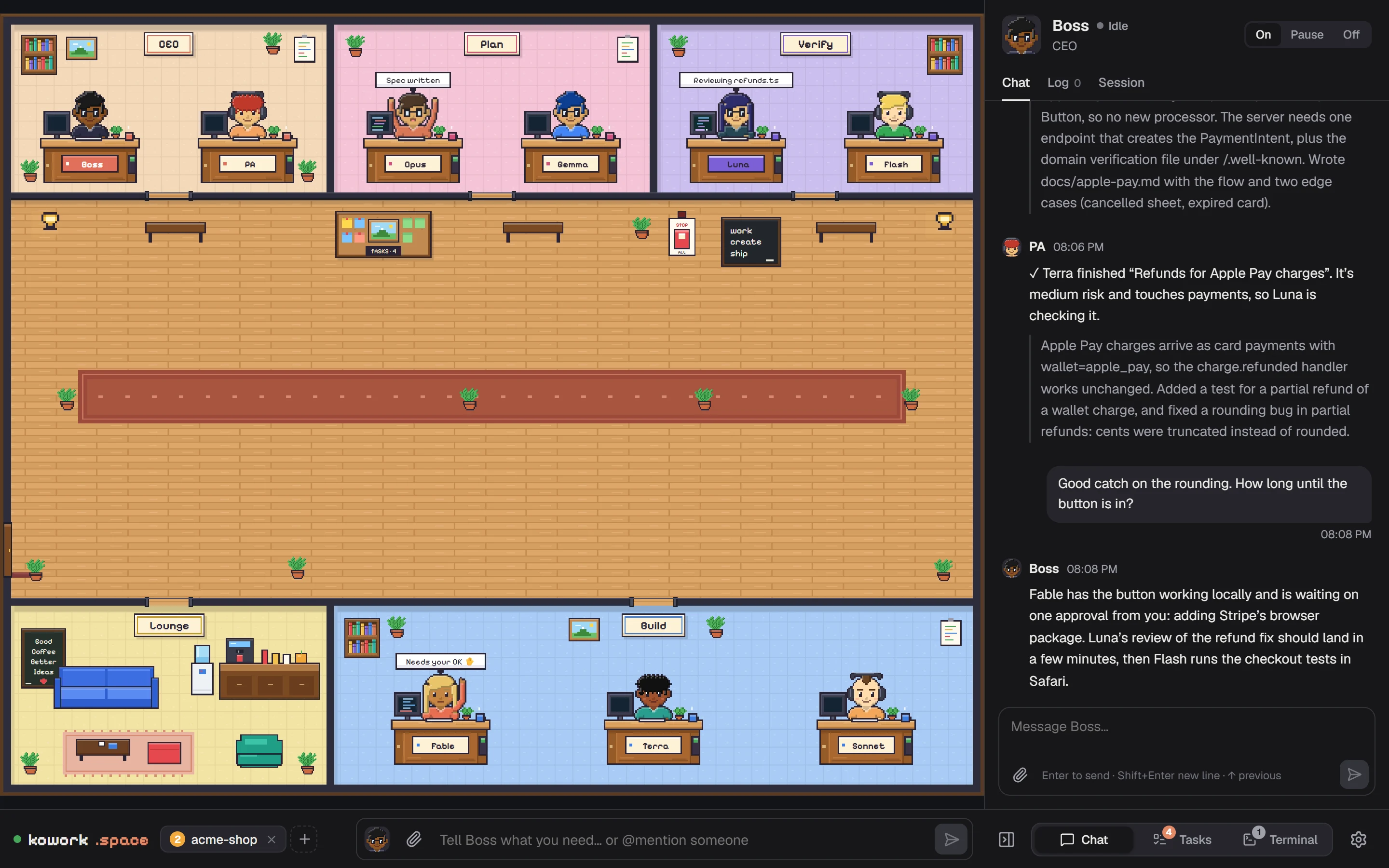
This is the app. Click a desk, a room, the task board, the fire alarm or the front door.
The office is the interface.
Everything the team does, you can see. Pick a feature, or click around the office, and watch it happen.
Talk to the Boss
You only ever need to talk to one person. The Boss reads your message and either answers, hands it to someone as a task, or turns a bigger request into a project with concrete subtasks. When everything is done the Boss writes the wrap-up. Want someone specific? @mention them and the Boss is skipped.
Try it: Click the Boss at the desk in the CEO room.
Automatic routing and subtasks
The PA classifies each message as chat, task or project, scores its complexity and picks who should do it, all in one call. A project becomes structured subtasks, each assigned on its own. If the PA is less than 55% sure, you get "Give it to…" buttons instead of a guess. The PA can be Jev, powered by the TypeSafe API, or Laya, a free model the app installs on your machine. Or skip the PA and let the Boss route.
Try it: Click the PA, or any desk in Plan or Build, and watch the folder go out.
Cross-provider review
After each delegated task the PA checks whether the result is complete and whether it is risky. Anything rated medium risk or higher goes to a reviewer on another provider automatically, because models from one family share blind spots. The setup wizard seats reviewers on a different provider than the lead engineer whenever it can.
Try it: Click the Verify room.
A task board you can drag onto desks
Every project has a board. Drag a card onto someone's desk to give it to them. A task still in To do has an assignee dropdown, so you can overrule the PA: the move is noted in the Boss's chat, the journal and the PA's log. The board, chat and terminal share the right sidebar.
Try it: Click the bulletin board in the corridor: it opens, and a card is dragged onto a desk.
On, Pause, Off. And Stop all.
Pause finishes the current turn and holds the queue. Off kills the whole process tree right away. The fire alarm on the corridor wall switches off everyone in every project at once. Live approvals work the same way: when a Claude agent needs permission for a command, its chat shows the exact command with Allow once, Always allow or Deny.
Try it: Click the lever on any desk, or pull the fire alarm in the corridor.
Out of office when a quota runs out
When a subscription hits its usage limit, everyone on it walks out the front door and their desk gets an OOO tent with the reason and return time. Work is not routed to them until the quota resets, and then they come back automatically. Add an API key and they fall back to it instead of leaving.
Try it: Click the front door.
Where the work happens.
The office shows who is doing what. Next to it is where you talk to them: one chat with the Boss for the whole project, a chat with each person when you want to go direct, every task, and the terminal.
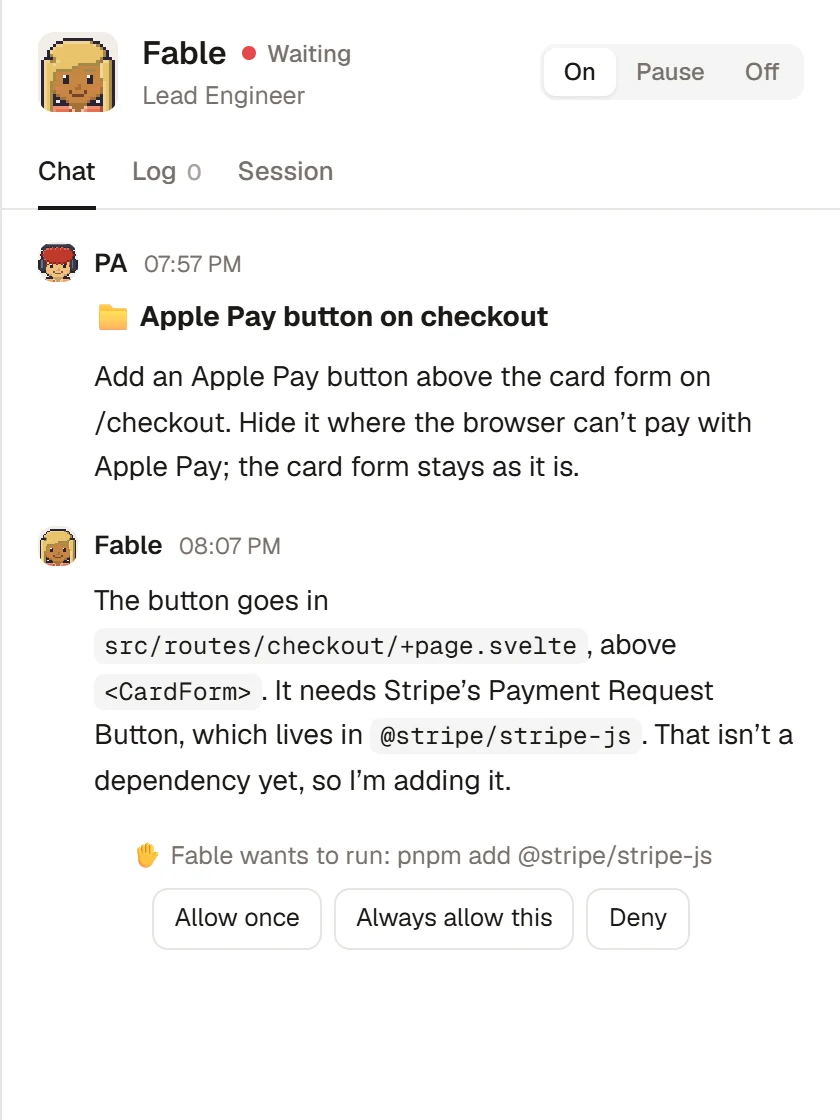
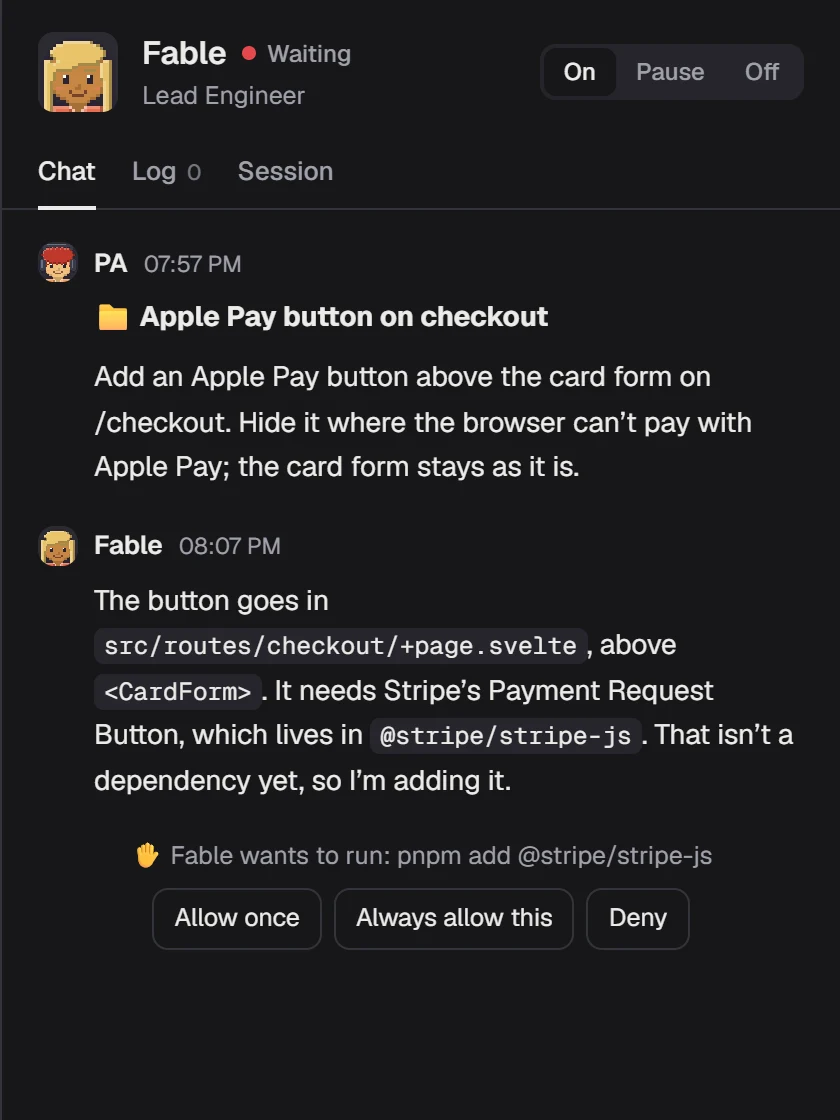
Nothing runs without your OK
When an agent wants to run a command or install something, it stops and asks in its chat. Allow it once, always, or say no and it finds another way.
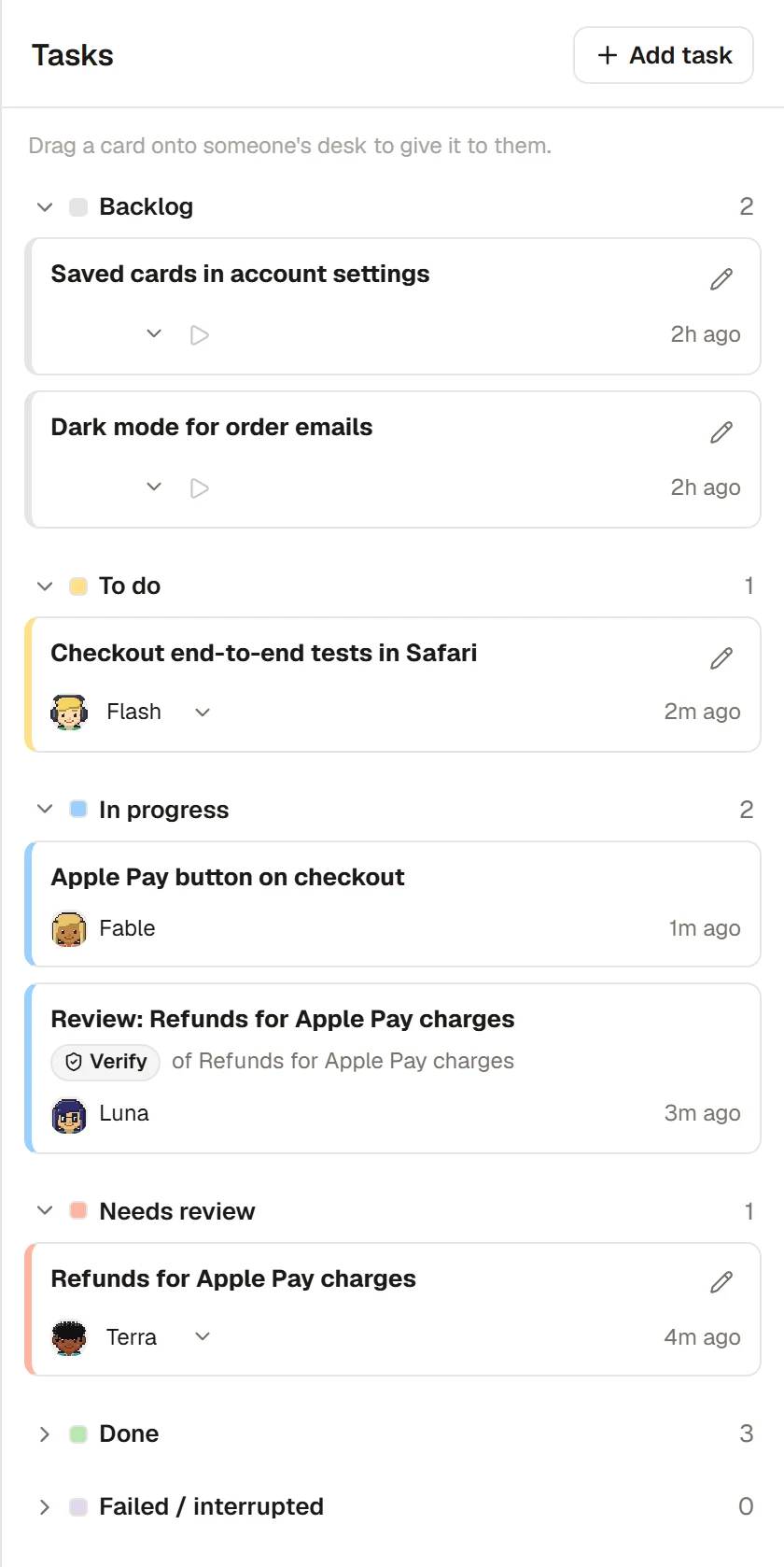
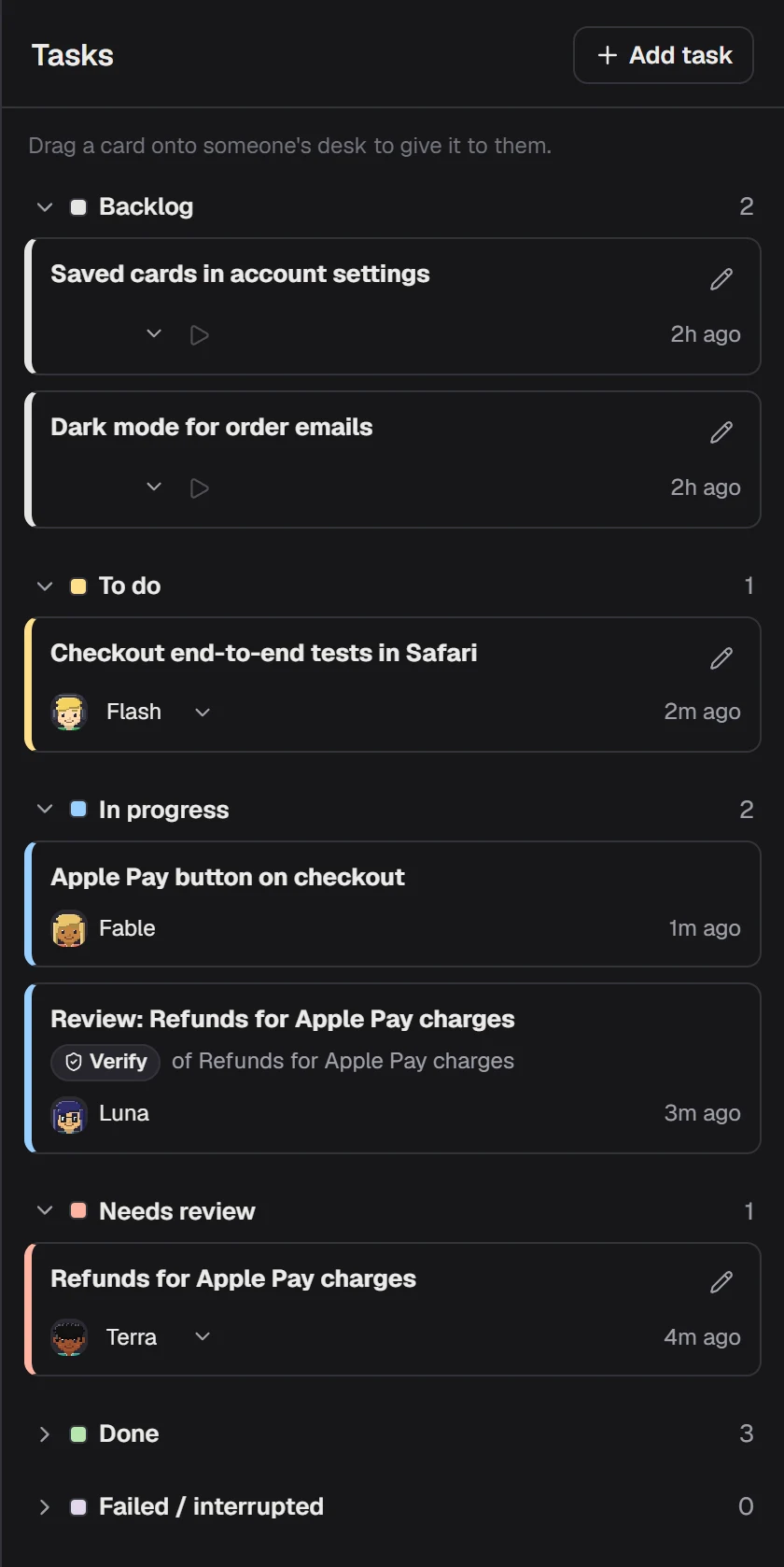
Every task on one board
Backlog, to do, in progress, needs review, done. Reviews by another provider show up next to the work they check. Drag a card onto a desk to hand it over.
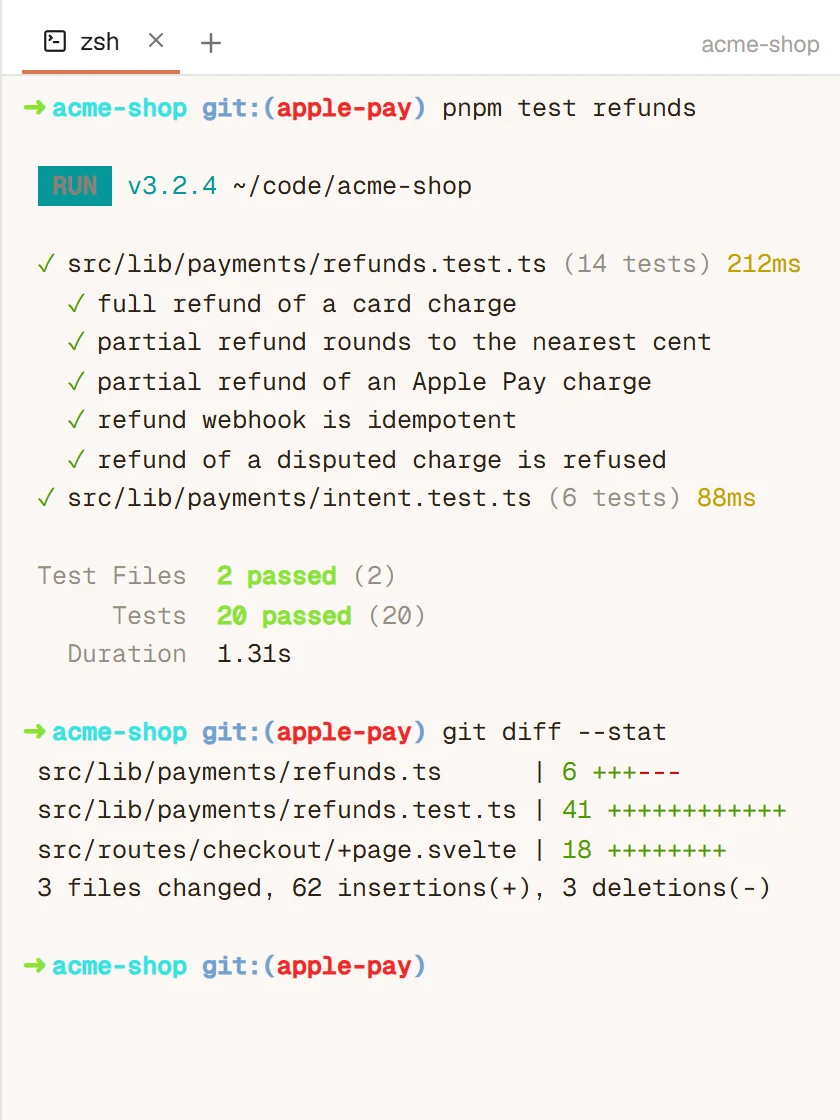
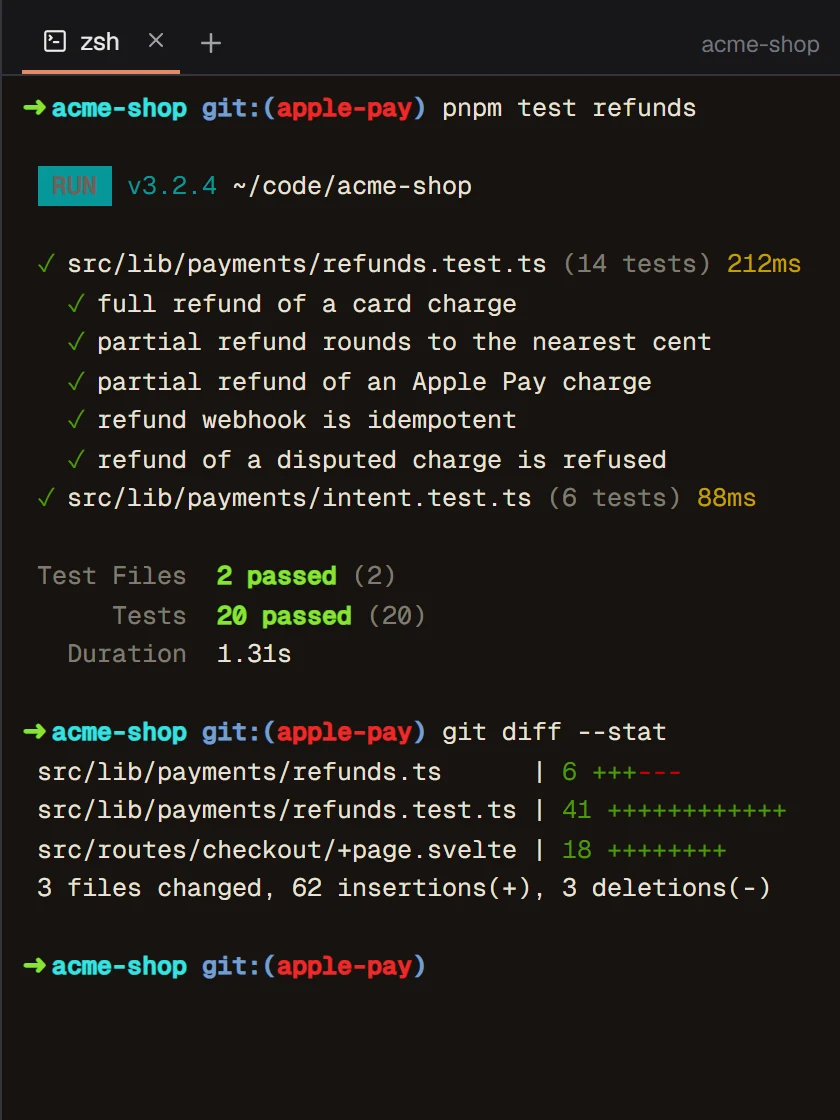
A real terminal in the project
Check the work yourself without leaving the office: run the tests, look at the diff. Your own shell, opened in the project folder, still running when you come back.
Built for the tools you already use.
kowork.space does not replace your CLIs. It gives them desks, a manager and a way to work together.
-
Runs on your existing subscriptions
No new API bill. Each agent is driven through the CLI you already have and are logged in to. Add an API key per provider if you want a fallback when a subscription runs out. Even the PA can run for free: Laya installs itself locally.
-
Claude Code, Codex and Antigravity
Claude (Opus, Fable, Sonnet) via Claude Code, GPT-5.6 Terra, Luna and GPT-5.5 via Codex, and Gemini via Antigravity. Each person keeps their own CLI session, so they remember earlier turns.
-
Local only
The app only listens on your own computer, so nothing else on the network can reach it. Chats, logs, the task board and your API keys stay in a database on your machine. Nothing is uploaded.
-
Projects in parallel
Every open project is its own office with the same team at separate desks: its own CLI processes, sessions, queues, board and chat. Switch with tabs; work keeps going in the background.
-
Real terminals
A terminal view with real shells started in the project folder: PowerShell on Windows, your login shell elsewhere. They keep running when hidden and replay their output when you come back.
-
Windows, macOS, Linux
One command installs it; it runs on your computer and opens in your browser. A one-time licence and free updates. Approvals for every command, a kill switch per agent, logs you can open, and nothing phoning home except the licence and update checks.
Three steps. No configuration files.
The first run is a short setup wizard. It looks at what is installed, proposes a team you can adjust, and hands you over to the Boss.
- 1
It finds your CLIs
The wizard checks which agent CLIs are installed and logged in, and which models each one offers. Missing one? It tells you how to install it.
-
claudeClaude Code opus, fable, sonnet -
codexCodex gpt-5.6-terra, gpt-5.6-luna, gpt-5.5 -
agyAntigravity gemini-3.1-pro, gemini-3.8-flash
-
- 2
It proposes a team
Role seats are filled from each CLI's best, everyday and quick models, with reviewers on a different provider than the lead engineer. Rename, swap models, drop seats. Pick a PA: Jev with a TypeSafe key, or Laya, free and installed locally.
PlanOpus Architect Claude CodeGemma Product Designer AntigravityBuildFable Lead Engineer Claude CodeTerra Senior Engineer CodexSonnet Engineer Claude CodeVerifyLuna Code Reviewer CodexFlash QA Engineer Antigravity - 3
You start talking to the Boss
Open a project folder and say what you want. The Boss chats back, or hands out tasks, or turns a bigger request into a project. You can @mention anyone directly.
Add dark mode to the settings page and make sure it survives a reload.BossThat is a project. Three subtasks: tokens and theme switch (Opus), the settings UI (Fable), and a review of the persistence logic (Luna). I will report back when all three are done.
One payment. Yours for good.
A lifetime licence with free updates. Pick how many machines you work from.
Single device
Lifetime access on one machine.
Regular price$29.99 $9.99 one time
Launch price, for early buyers. Goes up to $29.99 after launch.
- All agents, projects and features
- Free updates
- Move it to a new machine any time
Multi-device
Lifetime access on up to 3 machines.
Regular price$49.99 $19.99 one time
Launch price, for early buyers. Goes up to $49.99 after launch.
- Everything in Single device
- Desktop, laptop and one more
- Free seats when you retire a machine
More devices or large teams
Need seats for a whole team, a site licence, or invoicing? Tell us what you need.
Let's talk
- Volume pricing
- Keys for every machine
- Invoice and purchase orders
Payments are handled by Paddle, our merchant of record. Prices in USD; tax is added at checkout where it applies.
Questions people ask.
Do I need API keys?
No. The agents run through your installed CLIs (claude, codex and agy) on the subscriptions you already have. API keys are optional: add one per provider in Settings → Account and it is used when the subscription runs out, or always, your choice. The PA that routes work can be Jev, which needs a TypeSafe key, or Laya, a free model the app installs on your machine (about 1.5 GB, once). Without either, the Boss routes work itself.
What happens when my subscription hits its limit?
Everyone on that subscription goes out of office: they walk out, their desk gets an OOO tent with the reason and return time, and the PA stops routing work to them. They come back automatically when the quota resets. With an API key configured, that provider falls back to the key instead of leaving.
Can agents run commands on my machine?
Only as far as you allow. Each agent has a permission mode (Read-only, Ask, or Always allow). Claude agents pause and show the exact command with Allow once, Always allow this or Deny. Codex runs inside its workspace sandbox with the network off. Every agent has On, Pause and Off, and the fire alarm stops everyone.
Where does my data go?
Nowhere. The app only listens on your own computer. Project state (chats, logs, the task board, each agent's session, uploads) lives in a .kowork folder inside the project, which is gitignored. Global settings and keys live in the app data folder. The only network calls the app makes itself are the licence check and the update check.
Does it work with several projects at once?
Yes. Each open project is a tab with its own office: the same team at separate desks, with separate CLI processes, sessions, queues, task board, chat and terminals. Closing a tab does not stop running work; the project shuts down once nothing is running.
What do I need installed?
The CLIs you want to use (claude, codex, agy), logged in. On Windows, Node is also needed for the terminal view (it is already there if your CLIs came from npm). Everything else comes with kowork.space: one command installs it, `kowork` starts it.
It opens in my browser. Is it a web app?
It runs entirely on your computer and uses your browser as its window. It listens only on your own machine (127.0.0.1) with a private link, so nothing else on the network can reach it, and your code, chats and keys never go to a server. That is also why it can drive the CLIs you are logged in to.
How is it licensed?
A one-time purchase with free updates. A licence key activates the app on your machine; activation is verified offline for up to 45 days, so you do not need to be online to work. Single-device and multi-device (up to 3 devices) licences are available; for more devices, contact support.